high-level-description-a-square-editoria_

MCP (Model Context Protocol): The Quiet Standard Reshaping AI Integration

As businesses continue adopting AI, one challenge is becoming increasingly clear: connecting AI models to the systems where business information actually lives.

An AI assistant is only as useful as the information it can access. If it cannot retrieve data from your CRM, ERP, document management system, or internal knowledge base, its capabilities become limited.

This is where the Model Context Protocol (MCP) comes in.

Although it hasn’t received the same attention as Generative AI or AI Agents, MCP is an equally important standard for enabling AI systems to securely interact with business applications. It may become one of the key building blocks that makes enterprise AI practical at scale.

The Integration Challenge

Today’s organizations rely on dozens, sometimes hundreds, of business applications.

  • Customer information may live in a CRM.
  • Financial data may reside in an ERP.
  • Documents might be stored in SharePoint or Google Drive.
  • Knowledge could be spread across internal wikis, emails, databases, and collaboration platforms.

Traditionally, connecting AI to each of these systems requires custom APIs, individual integrations, authentication mechanisms, and ongoing maintenance. Every new AI application often means building another integration.

This quickly becomes expensive, difficult to manage, and hard to scale.

What is MCP?

Model Context Protocol (MCP) is an open standard that provides a consistent way for AI applications to communicate with external tools, databases, business applications, and services.

Rather than creating a custom integration for every AI solution, organizations can expose their systems through MCP-compatible servers. Any AI application that supports MCP can then securely access those resources using a common approach.

Think of it as giving AI applications a standardized way to “ask” business systems for information or perform approved actions, without requiring every integration to be built from scratch.

Why It Matters?

MCP isn’t replacing APIs. Instead, it provides a common layer that allows AI models to use existing business systems more efficiently.

For organizations investing in AI, this offers several advantages.

Simpler Integration: Instead of maintaining separate integrations for every AI application, businesses can build reusable connections that multiple AI tools can leverage.

Better Scalability: As new AI models and assistants emerge, organizations can connect them to existing MCP-enabled resources without rebuilding everything from the beginning.

Greater Flexibility: Businesses are no longer tightly coupled to a single AI provider. Different AI models can potentially access the same business resources through a common interface.

Improved Governance: Organizations maintain control over which systems, tools, and data are exposed to AI applications while enforcing authentication, permissions, and auditing.

MCP and Business Automation: For professionals working in automation, MCP represents an interesting evolution to bind with other technologies.

  1. Traditional RPA focuses on automating user actions.
  2. APIs allow applications to exchange structured data.
  3. Generative AI helps understand language and generate content.
  4. MCP creates a standardized bridge that allows AI systems to interact with business tools more effectively.

Rather than viewing these technologies as competitors, businesses should see them as complementary components of a broader automation strategy.

Is MCP Replacing RPA?

Not at all. RPA remains the right solution when systems lack APIs or when automating user interface interactions is still the most practical approach. APIs continue to be essential for structured system-to-system communication. MCP simply makes it easier for AI applications to discover and use those existing capabilities.

In many organizations, future automation initiatives will combine all three technologies depending on the business requirement.

Looking Ahead

The most successful organizations are unlikely to build entirely new technology stacks around AI. Instead, they will extend the systems they already have.

Standards like MCP make that future more achievable by reducing integration complexity and improving interoperability between AI and enterprise software.

As AI continues to evolve, the conversation is shifting beyond simply choosing the “best model.” Increasingly, success will depend on how effectively AI connects with the business processes, systems, and information that organizations already rely on every day.

Moving Forward

In the next article, we’ll explore the move from RPA bots to AI agents and what the shift means for a company’s automation strategy. We’ll examine how AI agents differ from traditional automation, where each approach delivers the most value, and why the future of enterprise automation will involve both working together rather than one replacing the other.

high-level-description-a-square-linkedin_T4bQ6FzFWPSIR7uwo7XUUA_f0lulmjfSQmcazX62cbXZA

Why Most Automation Initiatives Plateau and How to Break Through

Organizations often begin their automation journey with high expectations. The first few automations usually deliver quick results: manual work is reduced, employees save time, and processes become more consistent. These early successes create excitement and encourage further investment.

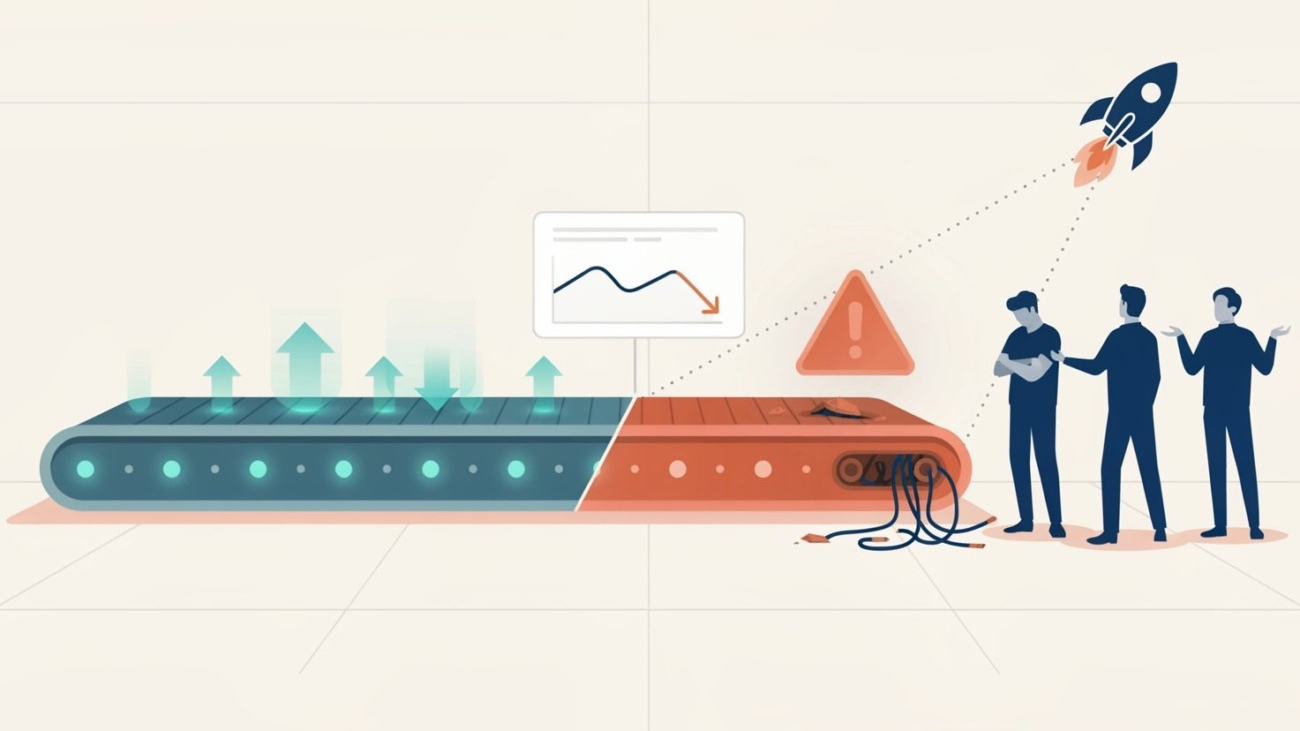
However, many organizations eventually encounter a frustrating reality. After the initial wins, progress slows down. New automation projects take longer to implement, benefits become harder to measure, and enthusiasm starts to fade. This is the point where automation initiatives plateau.

The good news is that this situation is common and, more importantly, avoidable.

Why Automation Efforts Lose Momentum?

Several factors contribute to stalled automation programs.

Focusing on Technology Instead of Processes

Many organizations start by selecting automation tools before fully understanding the processes they want to improve. While technology is important, automation cannot fix an inefficient process. If a process contains unnecessary steps, bottlenecks, or unclear responsibilities, automating it simply makes those problems happen faster.

The most successful initiatives begin with process analysis rather than software selection.

Choosing the Wrong Automation Candidates

Early automation projects are often selected because they appear easy to automate. Once these opportunities are exhausted, organizations struggle to identify the next wave of valuable candidates.

Some processes may be too complex, change too frequently, or involve too many exceptions. Others may offer little business value even if they are technically easy to automate.

A structured process assessment framework helps organizations prioritize opportunities based on business impact, stability, and effort required.

Lack of Business Ownership

Automation should never be viewed as an IT-only initiative.

When business departments are not actively involved, automations often fail to address real operational challenges. Employees who work with the processes every day possess valuable knowledge about exceptions, workarounds, and improvement opportunities.

Strong collaboration between business teams and automation specialists is essential for long-term success.

Limited Governance

As automation programs grow, managing them becomes increasingly challenging. Different departments may develop automations independently, resulting in duplicate efforts, inconsistent standards, and maintenance difficulties.

Without clear governance, organizations can quickly lose visibility into their automation landscape.

Establishing standards, documentation requirements, and review processes helps ensure that automation remains manageable as it expands.

Measuring the Wrong Success Metrics

Many organizations focus exclusively on the number of automations deployed. While this metric is easy to track, it does not necessarily reflect business value.

More meaningful measurements include:

  • Hours saved
  • Reduction in processing times
  • Error reduction
  • Improved customer response times
  • Compliance improvements
  • Employee satisfaction

Tracking business outcomes keeps automation aligned with organizational goals.

How to Break Through the Plateau?

Organizations that successfully scale automation typically follow a few common principles:

  • Create a continuous pipeline of automation opportunities.
  • Regularly review and improve existing automations.
  • Involve business stakeholders throughout the automation lifecycle.
  • Establish clear governance and standards.
  • Focus on measurable business outcomes rather than automation volume.
  • Combine automation with process improvement initiatives instead of treating them as separate efforts.

Most importantly, organizations should view automation as an ongoing capability rather than a one-time project.

Conclusion

Automation plateaus are not signs of failure. In many cases, they indicate that an organization has reached a level of maturity where a more structured approach is needed.

The companies that continue to see value from automation are those that move beyond quick wins and build a long-term strategy focused on process improvement, governance, and business outcomes. By doing so, they transform automation from a collection of isolated projects into a sustainable driver of operational efficiency.

Moving Forward

In the next article, we will explore MCP (Model Context Protocol): The Quiet Standard Reshaping AI Integration. As organizations increasingly adopt AI solutions, connecting systems, tools, and data sources efficiently is becoming a critical challenge. We will examine how MCP is emerging as a practical standard for simplifying AI integrations and why it is gaining attention across the technology landscape.

high-level-description-a-bold-editorial-_aHYdot51UCivbaBU-0zI9g_MBvWN4ZsSfiJRAcVN-jX7g

Agentic AI Explained: When Automation Starts Making Decisions on Its Own

For many years, automation has been built around a simple principle: follow predefined rules and execute tasks exactly as instructed. Robotic Process Automation (RPA) has been a great example of this approach, helping organizations automate repetitive activities, reduce manual effort, and improve accuracy.

Agentic AI introduces systems that can make decisions, adapt to changing situations, and work toward goals with less direct human guidance. While this may sound like something from the distant future, it is already beginning to influence how organizations approach efficiency and process improvement.

Understanding Agentic AI

Traditional automation follows a fixed path. If a specific condition occurs, the automation performs a predefined action. Every possible scenario must be anticipated and built into the process.

Agentic AI works differently.

Instead of following only predefined instructions, it can evaluate information, consider available options, and determine the most appropriate action to achieve a specific objective. It still operates within boundaries and rules, but it has greater flexibility in how it reaches the desired outcome.

Think of it this way:

  • Traditional automation follows a map.
  • Agentic AI is given a destination and can choose the best route.

This ability allows systems to respond more effectively when conditions change unexpectedly.

How Agentic AI Differs from RPA

RPA remains one of the most effective technologies for automating structured and repetitive tasks. Agentic AI is not a replacement for RPA. Instead, the two technologies can complement each other.

For example:

  • RPA can collect information from multiple systems.
  • Agentic AI can analyze that information.
  • AI can decide which action should be taken next.
  • RPA can then execute the selected action.

This combination creates a more flexible automation framework that can handle situations where fixed rules alone are not enough.

Practical Examples

Many organizations are already exploring scenarios where Agentic AI can add value.

Customer Service: Instead of simply routing customer requests based on keywords, an AI agent can review the customer’s situation, determine urgency, select the most appropriate department, and even prepare a recommended response.

IT Support: An AI agent can analyze system alerts, identify likely causes, prioritize incidents, and trigger automations to resolve common issues before users are affected.

Procurement: When purchasing requests arrive, the AI can evaluate suppliers, compare pricing, assess historical performance, and recommend the most suitable option.

Financial Operations: An AI agent can review unusual transactions, gather supporting information, identify potential risks, and decide whether human review is required.

Benefits of Agentic AI

Organizations exploring Agentic AI are often attracted by several potential advantages:

  • Faster decision-making.
  • Reduced manual intervention.
  • Improved response to changing conditions.
  • Better use of employee time.
  • Greater process flexibility.
  • Enhanced customer experiences.

Rather than focusing solely on task automation, businesses can begin automating portions of the decision-making process as well.

Important Considerations

Despite the excitement surrounding Agentic AI, it is important to approach implementation carefully.

Not every decision should be fully automated. Some situations require human judgment, regulatory oversight, or ethical consideration.

Organizations should establish clear governance, monitoring, and approval mechanisms to ensure that AI agents operate within defined limits.

The goal is not to remove humans from processes entirely. Instead, it is to allow people to focus on higher-value work while technology handles routine decisions and actions.

Conclusion

Agentic AI represents an important step in the evolution of automation. While traditional automation follows instructions, Agentic AI can evaluate situations and choose actions that help achieve a goal.

For organizations pursuing digital transformation, the combination of RPA and Agentic AI offers exciting opportunities to improve efficiency, responsiveness, and scalability. As these technologies continue to mature, businesses that understand where they fit and how they work together will be better positioned to gain meaningful results.

Moving Forward

In the next article, we will explore why many automation programs achieve early success but struggle to maintain momentum. We will examine the common reasons automation initiatives plateau and discuss practical strategies that help organizations continue expanding their automation capabilities and delivering long-term value.

zH2bW4Q0UBqK0HRDP4-1EA@2k

What’s Next? The Evolution from RPA to Generative AI in Business Processes

For over a decade, Robotic Process Automation (RPA) has helped organizations automate repetitive tasks, reduce manual work, and improve operational efficiency. Businesses across industries have used automation to handle structured processes such as data entry, invoice processing, reporting, and customer onboarding.

Now, a new phase of automation is emerging. Generative AI is expanding what automation can achieve by allowing systems to work with unstructured information, generate content, assist with decision-making, and support employees in more dynamic ways. Instead of simply following predefined rules, businesses are beginning to use AI tools that can understand context, summarize information, draft responses, and interact more naturally with users.

This shift does not replace RPA. Instead, it builds on the foundation that automation has already created.

From Rule-Based Automation to Intelligent Assistance

Traditional RPA works best when processes are repetitive, stable, and based on clear rules. For example, an automation can copy information between systems, validate forms, or generate reports with high speed and accuracy.

Generative AI introduces a different capability. It can process written language, interpret documents, generate text, and assist employees with tasks that previously required human understanding.

Here are a few examples of how businesses are combining both technologies:

  • RPA extracts invoices from emails while Generative AI reads and summarizes unusual requests.
  • Automation gathers customer information while AI drafts personalized responses for support teams.
  • RPA moves data between systems while AI creates reports and summaries for management.
  • AI chat assistants help employees quickly find internal procedures or company knowledge.

This combination allows organizations to automate more complete workflows rather than isolated tasks.

Why Businesses Are Paying Attention

Many organizations already have automation in place. The next step is making those automations more flexible and useful.

Generative AI helps businesses address areas that were previously difficult to automate because they involved emails, documents, conversations, or large amounts of text. These are processes that often require interpretation rather than simple rule execution.

Some of the key benefits include:

Faster Decision Support

AI can summarize large amounts of information quickly, helping employees focus on actions rather than manual review.

Improved Customer Communication

Businesses can generate faster responses to customers while maintaining consistency across communication channels.

Better Employee Productivity

Instead of spending hours searching for information or preparing drafts, employees can use AI tools to assist with everyday work.

Enhanced Process Automation

Combining AI with RPA creates workflows that can handle both structured and unstructured information more effectively.

The Human Role Remains Important

Despite the growing interest in AI, human oversight continues to be essential. Generative AI can support employees, but businesses still need people to validate information, review sensitive decisions, and manage exceptions.

Successful organizations are approaching AI as a tool that supports teams rather than replacing them entirely.

This is especially important in industries where accuracy, compliance, and customer trust are critical. Businesses must ensure that AI-generated content is reviewed properly and aligned with company policies.

Challenges Businesses Should Consider

While the opportunities are significant, companies should also approach Generative AI carefully.

Data Security

Organizations need to ensure that sensitive company or customer data is protected when using AI platforms.

Process Selection

Not every process benefits from AI. Businesses should focus on areas where AI can provide measurable improvements without introducing unnecessary complexity.

Governance and Compliance

AI-generated outputs should be monitored to ensure they remain accurate, consistent, and compliant with regulations.

Employee Adoption

As with any digital transformation initiative, training and change management are important for successful adoption.

The Future of Business Automation

The evolution from RPA to Generative AI represents a broader shift in how businesses approach efficiency and productivity. Automation is no longer limited to repetitive tasks alone. Companies are beginning to combine structured automation with intelligent assistance to improve both operations and employee experience.

Organizations that already use RPA are often in a strong position to adopt AI gradually because they already understand process optimization and automation strategy.

The future will likely involve a combination of technologies working together: RPA handling repetitive execution, AI supporting analysis and communication, and employees focusing on higher-value activities that require judgment and creativity.

Moving Forward

In the next article, we will explore Agentic AI, and understand how automation starts making decisions on Its own while still remaining under human oversight. We will examine how modern AI systems are beginning to take more independent actions, what this means for businesses, and where organizations should apply caution while adopting this new generation of automation.

fB9hwW6xXgG0MyYr_TiD0Q@2k

Customer Experience Transformation Through AI and Automation

Customer expectations have changed dramatically over the last few years. People now expect fast responses, personalized interactions, and consistent service across every channel. Whether they are contacting a support team, placing an order, or requesting information, customers want smooth and efficient experiences without delays or unnecessary steps.

To meet these expectations, companies are increasingly turning to Artificial Intelligence (AI) and automation technologies. These solutions are helping organizations improve response times, reduce manual work, and provide more reliable customer interactions while allowing employees to focus on tasks that require human judgment and communication.

AI and automation are no longer limited to large enterprises. Organizations of all sizes are adopting these technologies to improve customer satisfaction and create more efficient operations.

How AI and Automation Improve Customer Experience

AI and automation can support customer experience in several practical ways:

Faster Customer Support

One of the most visible improvements comes from automated customer support systems. AI-powered chat assistants can answer common questions instantly, helping customers receive information without waiting in long queues.

Tasks such as:

  • Order tracking
  • Appointment scheduling
  • Frequently asked questions
  • Billing inquiries

can often be handled automatically, reducing delays and improving service availability around the clock.

Personalized Customer Interactions

AI systems can analyze customer preferences, previous purchases, and interaction history to provide more personalized recommendations and communication.

For example:

  • Retail companies can recommend products based on previous purchases
  • Streaming platforms can suggest relevant content
  • Service providers can offer customized support options

This creates a more relevant experience for customers and helps organizations build stronger relationships.

Improved Consistency

Manual processes can sometimes lead to inconsistent customer experiences. Automation helps standardize workflows, ensuring that customers receive the same level of service regardless of when or how they interact with a company.

Automated workflows can:

  • Route requests to the correct department
  • Ensure follow-up actions are completed
  • Send timely updates and notifications
  • Maintain accurate customer records

This consistency improves trust and reduces frustration.

Reduced Response Times

Customers often judge service quality based on speed. AI and automation help businesses reduce response times by removing repetitive manual tasks from everyday operations.

For example, automated systems can:

  • Process customer requests instantly
  • Update records automatically
  • Trigger notifications in real time
  • Escalate urgent cases without delays

As a result, employees can spend more time resolving complex customer issues instead of handling repetitive administrative work.

Better Use of Employee Skills

Automation does not replace the value of human interaction. Instead, it allows employees to focus on conversations and decisions that require empathy, creativity, and critical thinking.

When repetitive tasks are automated:

  • Customer service teams can focus on difficult cases
  • Sales teams can spend more time building relationships
  • Employees experience less repetitive workload
  • Organizations can improve overall productivity

This balance between technology and human expertise often leads to better customer outcomes.

Practical Examples Across Industries

Many industries are already seeing measurable improvements through AI and automation:

  • Healthcare providers automate appointment reminders and patient communication
  • Banks use AI to detect unusual transactions and assist customers faster
  • Retail companies automate inventory updates and customer notifications
  • Insurance providers speed up claims processing through automated workflows
  • Telecommunications companies improve support ticket handling and service activation

These improvements help organizations operate more efficiently while providing better experiences to customers.

Challenges to Consider

While the benefits are significant, successful implementation requires careful planning.

Organizations should focus on:

  • Selecting the right processes for automation
  • Maintaining data privacy and security
  • Ensuring systems integrate properly
  • Training employees effectively
  • Keeping human oversight where necessary

AI and automation work best when they support employees rather than creating unnecessary complexity.

Conclusion

Customer experience has become one of the most important factors influencing business success. AI and automation provide organizations with practical tools to improve service quality, reduce delays, and create more efficient customer interactions.

Companies that successfully combine technology with human expertise are better positioned to meet growing customer expectations while improving operational performance. The goal is not simply faster service, but more reliable, personalized, and consistent experiences that strengthen long-term customer relationships.

Moving Forward

In the next article, we will explore how business automation continues to evolve beyond traditional automation. The discussion will focus on “What’s Next? The Evolution from Robotic Process Automation (RPA) to Generative AI in Business Processes” and how organizations are beginning to combine automation with AI-generated insights and decision support to improve business operations even further.

a-sleek-digital-illustration-depicting-a_ztoVu1JzRGeIxPDM2m2LHw_C29ienXSTFWBDXe0Yh5aEg_sd

Cybersecurity in the Age of AI and Automation: Risks and Safeguards

As companies adopt Artificial Intelligence (AI), automation, and smart digital tools, efficiency often improves quickly. Tasks that once required hours can now be completed in minutes. Customer requests can be handled faster, reporting can become more accurate, and routine work can be reduced.

However, with every new digital system comes a new level of responsibility. Cybersecurity is no longer just an IT concern. It is now a business priority. When AI and automation are connected to company systems, emails, databases, and customer information, the impact of a security issue can spread rapidly.

Why Risk Levels Are Changing

Traditional cyber threats still exist, but AI and automation can increase the speed and scale of damage if controls are weak. A single compromised automation may process thousands of transactions before the issue is detected. An unsecured AI tool could expose sensitive company data if used incorrectly.

Some common risks include:

  • Unauthorized access – Bots or AI tools connected to business systems may become entry points if credentials are weak.
  • Data leaks – Sensitive customer or financial data may be exposed through unsecured tools or poor permissions.
  • Automated mistakes at scale – Incorrect logic or manipulated data can cause repeated errors quickly.
  • Phishing attacks enhanced by AI – Fraudulent emails and messages are becoming more convincing.
  • Third-party risks – External platforms and software providers may create indirect vulnerabilities.

A growing trend often called vibe coding refers to using AI tools to generate software quickly through simple prompts, often with limited review of the actual code. While this can speed up development, it also creates risks. Hidden security flaws, weak authentication, poor data handling, and unreliable integrations may be introduced without being noticed. If businesses use AI-generated code, it should always be reviewed, tested, and approved by experienced developers before going live.

How Businesses Can Protect Themselves

The good news is that these risks can be managed with practical planning. Security should be built into every automation or AI project from the start rather than added later.

1. Control Access Carefully

Only approved users and systems should have access to automation tools, bots, and AI platforms. Use multi-factor authentication wherever possible and review permissions regularly.

2. Protect Sensitive Data

Data should be encrypted, stored securely, and shared only when necessary. Businesses should define clear rules on what employees can upload into AI tools.

3. Monitor Automated Activity

Every automation should create logs showing what actions were taken, when they happened, and by which account. This helps detect unusual behavior quickly.

4. Keep Systems Updated

Old software often contains known weaknesses. Regular updates and patching reduce avoidable risks across connected systems.

5. Train Employees

Even strong technology can fail through human error. Staff should know how to identify suspicious emails, unsafe links, and poor data handling practices.

6. Review Vendors Carefully

Before adopting any external AI or automation platform, businesses should review security standards, privacy terms, and support capabilities.

AI Can Also Strengthen Cybersecurity

Interestingly, AI is not only a risk factor. It can also improve defense. Smart monitoring tools can detect unusual behavior, identify threats faster, and support security teams with quicker responses. Used correctly, AI can become part of the solution.

Conclusion

AI and automation are helping businesses become faster, more productive, and more competitive. But growth without protection can create costly problems. Cybersecurity must move alongside innovation.

Organizations that combine smart technology with strong safeguards will gain the benefits of automation while reducing unnecessary risk. The goal is not to avoid progress, but to secure it.

Moving Forward

In the next article, we will explore how AI and automation can transform customer experience and how businesses can improve service quality, response times, and customer satisfaction through the smart use of digital tools.

Real Time Analytics and Automation

Real-Time Analytics and Automation: Powering Faster Decision-Making

Many organizations still base their decisions on yesterday’s data. Reports are generated, reviewed, and acted upon long after events have already moved on. This delay can lead to missed opportunities and slow responses to critical situations. Real-time analytics combined with automation changes this dynamic by enabling businesses to act immediately, with confidence and accuracy.

At its core, real-time analytics processes data as it is created, while automation ensures that the right actions follow without delay. Together, they form a powerful approach that supports faster, more informed decision-making across all levels of an organization.

Why Real-Time Matters More Than Ever

Speed is no longer a luxury; it is a requirement. Customers expect quick responses, markets shift rapidly, and operational issues need immediate attention. Relying on manual processes or delayed reporting can create gaps that affect performance.

Automation tools, including Robotic Process Automation (RPA), already improve efficiency by handling repetitive tasks and reducing errors. When combined with real-time data, these tools go a step further by not only executing tasks but also reacting instantly to changing conditions.

How Real-Time Analytics and Automation Work Together

The combination of these two capabilities creates a continuous loop:

  • Data is captured instantly from systems, applications, or user interactions
  • Analytics engines process and interpret this data in real time
  • Automated workflows trigger actions based on predefined rules
  • Results are monitored and fed back into the system for ongoing improvement

This cycle ensures that businesses are not just observing what is happening, but they are responding to it immediately.

Key Benefits for Organizations

Organizations that adopt this approach often see clear improvements:

  • Faster Decision-Making: Leaders no longer need to wait for reports. Insights are available instantly, allowing quick and informed actions.
  • Improved Operational Efficiency: Automated responses reduce manual intervention, saving time and minimizing delays.
  • Higher Accuracy: Automation reduces human error, while real-time data ensures decisions are based on current information.
  • Better Customer Experience: Immediate responses to customer needs lead to faster service and higher satisfaction.
  • Proactive Problem Solving: Issues can be identified and addressed before they escalate, rather than reacting after the fact.

Practical Use Cases

Real-time analytics and automation can be applied across various functions:

  • Customer Support: Automatically route and respond to customer inquiries based on real-time sentiment or urgency.
  • Finance Operations: Detect unusual transactions instantly and trigger compliance checks or alerts.
  • Supply Chain Management: Adjust inventory levels or delivery schedules based on live demand data.
  • IT Operations: Monitor system performance and automatically resolve common issues before users are affected.

These examples highlight how combining immediate insights with automated actions can streamline processes and improve outcomes.

What to Consider Before Implementation

While the benefits are clear, a thoughtful approach is important:

  • Start with processes that are time-sensitive and data-driven
  • Ensure systems can integrate smoothly to support continuous data flow
  • Define clear rules for automation to avoid unnecessary actions
  • Monitor performance and refine workflows over time

It’s also important to remember that not every decision should be automated. A balanced approach, where automation supports human judgment often delivers the best results.

Conclusion

Real-time analytics and automation are not just about speed; they are about making better decisions when it matters most. By combining immediate insights with automated execution, organizations can respond faster, operate more efficiently, and stay ahead in a competitive environment.

As businesses continue to invest in digital transformation, this combination will play a central role in shaping how decisions are made and how quickly value is delivered.

Moving Forward

In the next article, we will explore Cybersecurity in the Age of AI and Automation: Risks and Safeguards, focusing on how organizations can protect their systems while embracing automation and intelligent technologies.

64e740398df5d2aa880e806c_doc_data_extraction

Intelligent Document Processing (IDP): Automating the World of Unstructured Data

Every organization deals with documents, emails, invoices, contracts, forms, and more. While structured data fits neatly into systems, a large portion of business information exists in unstructured formats. This is where Intelligent Document Processing (IDP) comes into play, extending the value of automation beyond traditional rule-based tasks.

IDP combines automation with data recognition capabilities to extract, interpret, and process information from documents. It builds on the foundations of Robotic Process Automation (RPA), allowing businesses to handle documents that previously required manual review. As highlighted in earlier discussions on automation, choosing the right processes and tools is essential to achieving meaningful efficiency gains.

What Makes IDP Different?

Unlike basic automation, IDP can understand content rather than just follow fixed rules. It can read documents, identify key information, and categorize data based on context.

Here’s what IDP brings to the table:

  • Data Extraction from Complex Documents IDP can pull relevant details from invoices, contracts, and emails, even when formats vary.
  • Classification and Organization Documents are automatically sorted and routed to the right workflows, reducing manual handling.
  • Error Reduction By minimizing manual input, IDP improves accuracy and consistency across processes.
  • Continuous Improvement The system becomes more effective over time as it processes more documents.

Where IDP Delivers Immediate Value

Many business processes rely heavily on document handling. IDP enhances these processes by reducing delays and improving data availability.

Common use cases include:

  • Invoice Processing: Extracting key fields like supplier name, amount, and due date without manual entry.
  • Customer Onboarding: Processing identification documents and forms quickly and accurately.
  • Contract Management: Identifying important clauses and tracking obligations automatically.
  • Email Handling: Sorting and prioritizing incoming requests based on content.

These applications align closely with areas already benefiting from automation, such as data entry and reporting, where reducing manual effort leads to measurable efficiency improvements.

How IDP Works with RPA

IDP does not replace RPA, it complements it.

Think of IDP as the “reader” and RPA as the “doer”:

  • IDP extracts and understands information from documents
  • RPA takes that information and performs actions, such as updating systems or triggering workflows

Together, they create a more complete automation solution that can handle both structured and unstructured data.

Key Benefits for Businesses

Adopting IDP can significantly improve how organizations manage information:

  • Faster Processing Times: Documents are handled in minutes instead of hours or days.
  • Improved Decision-Making: Accurate data becomes available sooner, supporting better operational decisions.
  • Scalability: As document volumes grow, IDP can handle increased workloads without additional staff.
  • Better Customer Experience: Faster responses and fewer errors lead to improved service quality.

Getting Started with IDP

For organizations considering IDP, a practical approach is key:

  1. Identify document-heavy processes with high manual effort
  2. Start with a focused use case, such as invoice or form processing
  3. Integrate with existing automation tools to maximize value
  4. Monitor performance and refine workflows over time

This structured approach ensures that IDP delivers measurable results without unnecessary complexity.

Conclusion

Intelligent Document Processing expands what automation can achieve by addressing one of the most common business challenges: handling unstructured data. By combining document understanding with automated workflows, organizations can reduce manual effort, improve accuracy, and speed up operations.

As businesses continue to adopt automation, IDP plays a critical role in unlocking efficiencies that were previously out of reach.

Moving Forward

In the next article, we will explore Real-Time Analytics and Automation: Powering Faster Decision-Making, focusing on how instant data insights combined with automation can help organizations respond quickly and make more informed choices.

BuildingADigitalFirstCulture

Building a Digital-First Culture: How Leaders Can Drive Transformation

Organizations frequently invest in new technologies with high expectations, yet the real challenge is not the tools, it’s the mindset behind them. A digital-first culture ensures that technology is not just adopted but actively used to improve how work gets done every day. Leaders play a central role in shaping this culture, guiding teams toward more efficient and adaptable ways of working.

A digital-first culture means placing technology at the core of decision-making, operations, and customer interactions. It is closely tied to automation initiatives like RPA, where success depends not only on the tools selected but also on how people embrace and use them effectively.

To build this culture, leaders need to focus on practical actions rather than broad statements.

Lead by Example

Change starts at the top. When leaders actively use digital tools, rely on data for decisions, and support automation initiatives, employees are more likely to follow.

  • Use dashboards and reports instead of manual updates
  • Encourage digital collaboration tools
  • Show openness to process improvements

This sets a clear tone that digital ways of working are the standard, not the exception.

Focus on People, Not Just Technology

Technology alone does not create transformation. Employees need to understand how digital tools help them in their daily work.

  • Provide simple, role-based training
  • Explain the “why” behind automation
  • Highlight how repetitive tasks can be reduced

When people see how automation removes routine work, they are more willing to adopt it and contribute ideas for improvement.

Start Small and Build Momentum

Large-scale transformation can feel overwhelming. A better approach is to begin with small, visible improvements.

  • Automate a single repetitive process
  • Improve one department’s workflow
  • Share early results across teams

Quick wins help build confidence and demonstrate value, making it easier to expand efforts over time.

Encourage Cross-Team Collaboration

Digital transformation often requires breaking down silos. Processes usually span multiple departments, and improving them requires collaboration.

  • Create shared goals between teams
  • Involve both business and IT early on
  • Promote open communication about challenges

This approach ensures that solutions are practical and aligned with real business needs.

Build a Continuous Improvement Mindset

A digital-first culture is not a one-time effort. It requires ongoing evaluation and adjustment.

  • Regularly review processes for improvement opportunities
  • Encourage employees to suggest automation ideas
  • Track performance metrics such as time savings and error reduction

This aligns with how automation delivers value over time by improving accuracy, productivity, and scalability.

Support Change with Clear Communication

Resistance to change is natural. Clear communication helps reduce uncertainty and builds trust.

  • Share the goals of digital initiatives
  • Be transparent about expected changes
  • Address concerns early

Employees are more likely to support transformation when they feel informed and included.

Conclusion

Building a digital-first culture is not about replacing people with technology. It’s about helping people work smarter by reducing repetitive tasks and improving processes. Leaders who focus on clear communication, practical implementation, and continuous improvement create an environment where digital transformation becomes part of everyday work.

When done right, this approach leads to better efficiency, improved accuracy, and more time for meaningful work—benefits that extend across the entire organization.

Moving Forward

In the next article, we will talk about Intelligent Document Processing (IDP), where we’ll look at how organizations can handle documents like emails, PDFs, and scanned files more efficiently using automation and AI.

j86r7paWRd68iEwERDsqcA@2k

The Future of Work: Human-AI Collaboration in the Digital Enterprise

The workplace is changing as organizations adopt automation and artificial intelligence to improve efficiency and service quality. Yet despite the growing role of technology, the future of work is not about replacing people with machines. Instead, it is about creating a collaborative environment where humans and intelligent systems work together.

In a digital enterprise, automation tools and AI systems handle repetitive and data-heavy activities, while employees focus on judgment, creativity, and problem-solving. This combination creates a stronger, more efficient workplace where both technology and people contribute their strengths.

Robotic Process Automation (RPA) has already demonstrated how software robots can take over routine digital tasks such as data entry, report preparation, and transaction processing. These automations free employees from repetitive work and allow them to concentrate on activities that require human insight and interaction.

Human-AI collaboration builds on this concept by combining automation with intelligent decision support.

How Humans and AI Work Together

When organizations integrate AI and automation into their daily operations, they create a cooperative system where each side complements the other.

Automation handles repetitive work

  • Processing large volumes of data
  • Moving information between systems
  • Performing standardized administrative tasks
  • Running routine reports

These are tasks that follow clear rules and require consistency, making them ideal for automation.

Employees focus on higher-value activities

  • Interpreting results and making decisions
  • Solving unusual or complex cases
  • Communicating with customers and partners
  • Improving processes and services

This shift allows employees to contribute more strategically rather than spending time on manual activities.

Practical Examples of Collaboration

Human-AI collaboration is already appearing in many departments:

Customer Service: Automation gathers customer information and prepares case details before a representative responds. The employee can then focus on resolving the issue rather than searching for data.

Finance: Automations collect and organize financial data, while analysts review results, identify patterns, and make recommendations.

Human Resources: Automation assists with onboarding tasks and system access setup, allowing HR teams to concentrate on employee engagement and development.

Operations: Automated systems track transactions and generate alerts when exceptions occur. Staff review these alerts and take the appropriate action.

These examples show that automation does not remove the human role; it strengthens it.

Benefits of a Collaborative Digital Workplace

Organizations that adopt human-AI collaboration often experience several advantages:

  • Higher productivity: Routine tasks are completed faster and with fewer errors.
  • Better decision-making: Employees have faster access to reliable information.
  • Improved employee satisfaction: Teams spend less time on repetitive work.
  • Greater scalability: Automated systems can handle increasing workloads without requiring proportional staff increases.

Automation technologies can operate continuously and maintain consistent performance, which supports employees and increases overall efficiency.

Preparing the Workforce for Collaboration

To fully benefit from human-AI collaboration, organizations should focus on several important areas:

Training and awareness as employees need to understand how automation works and how it supports their roles.

Process improvement since automation works best when processes are clearly defined and structured.

Change management while introducing new technology requires open communication and employee involvement.

Leadership support as leaders must demonstrate that automation is a tool that supports employees rather than replacing them.

When these elements are in place, organizations can create a balanced and productive digital workplace.

Conclusion

The future of work is not defined by technology alone. It is defined by how well organizations combine human expertise with intelligent systems.

Automation and AI provide speed, consistency, and the ability to process large volumes of information. People contribute creativity, judgment, and interpersonal skills. When these strengths work together, organizations become more efficient, adaptable, and ready for the demands of the digital economy.

Moving Forward

In the next article, we will explore how leaders can drive Digital Transformation. We will examine how leadership mindset, communication, and organizational culture influence the success of digital transformation initiatives.